

Let me start by saying — Instagram is one of the most addictive platforms today. Whether it’s a funny reel, a friend’s story, or an inspiring quote, we all come across content that we wish we could save for later. That’s when Instagram downloaders come in.
I’ve personally used a few Instagram download tools, and I want to share what I’ve learned — especially the safe way to use them. If you’re thinking of downloading content from Instagram, this guide is for you. No technical jargon, just real talk based on actual usage and common sense.
Why People Use Instagram Downloaders
Instagram doesn’t give us a built-in option to download Instagram stories, videos, or reels. You can save posts within the app, but that doesn’t help if the story disappears after 24 hours or if you want offline access.
Here are some real reasons why people use downloaders:
-
Save motivational videos for later viewing
-
Watch content offline without wasting data
-
Re-watch stories that inspired you
-
Share content with friends or family who don’t use Instagram
-
Save tutorials or guides for personal use
But the big question is — is it safe to use these tools?
The Truth About Safety
To be very honest, not all Instagram downloader websites or apps are safe. Some are filled with ads, others might ask for your Instagram login (big red flag!), and some even track your activity.
Here’s what I’ve personally learned about using them safely:
1. Never Enter Your Instagram Login
A real Instagram downloader does not require your username or password. If any website or app asks for it — leave immediately.
Instagram stories, reels, and posts that are public can be accessed via public URLs. That’s how downloaders work. They don’t need to log in to your account.
2. Use Tools That Respect Privacy
Look for downloaders that clearly state they don’t store your data. I’ve used IGStories because they mention upfront that they don’t save your downloads or track personal usage. That’s a big plus for me.
3. Avoid Downloading Private Content
Even though you might find tools claiming to download private profiles or stories, don’t use them. It’s unethical, and chances are they’re fake or dangerous.
Respect people’s privacy. If a profile is private, that means the user doesn’t want their content shared outside. And downloading it secretly is not just wrong — it could be risky.
4. Stay Away from Apps Asking for Permissions
Some apps ask for access to your photos, storage, contacts, or worse — your Instagram account. That’s a big no for me. I only use web-based tools that work through the browser.
You don’t need to install an app to download Instagram content. A clean website works better and is safer.
5. Use Downloaders With HTTPS
This may sound techy, but it’s simple — always check that the website address starts with https://. The ‘s’ stands for ‘secure’. This means your data is encrypted.
If it only shows http://, that’s not safe — don’t use it.
6. Watch Out for Ads and Popups
Many downloaders use ads to make money, which is fine. But if the website is overloaded with pop-ups, redirects, or strange download buttons, it’s probably trying to trick you into clicking something unsafe.
Stick to clean and minimal interfaces. A good downloader should not feel sketchy.
Step-by-Step: How I Use Instagram Downloaders Safely
Let me walk you through how I do it — step by step:
Step 1: Choose a Reliable Website
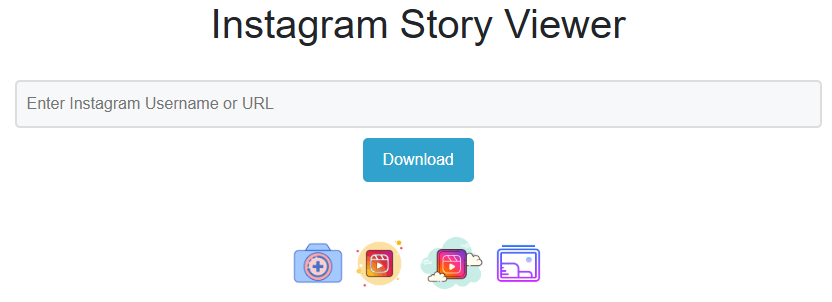
I usually use IGStories.website. It has a simple interface and doesn’t ask for any login. No app installation. No account creation.
Step 2: Copy the Link
If I’m downloading a reel or post, I just go to the Instagram app, tap on the three dots ⋮ next to the post, and click on “Copy link”.
For stories, I just enter the public username on the downloader site.
Step 3: Paste and Download
On the website, I paste the link or type the username. The site processes the content and gives me a clean download button.
That’s it. No ads, no unnecessary buttons, no pop-ups.
Step 4: Store It Responsibly
I save the content only for personal use. I don’t re-upload it, edit it, or claim it as mine. That’s important. Always respect the original creator.
Why Safety Matters
Let me be real with you — the internet is full of sketchy tools. I’ve clicked on downloaders before that opened dozens of popups, or even tried to install things without permission.
That’s not just annoying — it can seriously harm your device. Viruses, malware, and even phishing can happen through shady downloader tools.
Also, using untrusted downloaders can get your own Instagram account in trouble — especially if you connect your account or download from private profiles.
That’s why it’s important to follow a few golden rules.
We ensure all content served is clean and complies with Google Safe Browsing guidelines
My Golden Rules for Safe Downloading
-
Use only trusted, honest review of IG downloaders
-
Never enter login info anywhere
-
Don’t download private content
-
Use it only for personal, respectful use
-
Don’t overdo it — excessive downloading may get flagged
Does Downloading Break Instagram’s Policy?
Good question. how we protect your privacy
Instagram doesn’t allow re-uploading or redistributing someone else’s content without permission. Downloading for personal use is not strictly against their rules — as long as you’re not misusing it.
But if you re-upload content, especially without credit or for commercial gain, that’s a serious violation.
👉 So yes, always respect Instagram’s privacy policy and content guidelines.
Real Benefits of Safe Usage
When you use Instagram downloaders safely and responsibly, you avoid:
-
Account bans
-
Device malware
-
Legal issues
-
Privacy violations
-
Unethical behavior
Instead, you get:
-
Access to offline content
-
Saved tutorials, quotes, and reels
-
Convenience without risk
-
Peace of mind
And honestly, that’s all most of us want — just a way to save some content we love and re-visit it later.
Stay Smart, Stay Safe
Using an Instagram downloader isn’t wrong — but how you use it matters a lot. I’ve made mistakes in the past, clicked on shady links, and learned the hard way. That’s why I wrote this.
You don’t have to be super technical to stay safe. Just follow the steps above, use tools that care about privacy (like IGStories.website), and always be mindful of how you use the content.
So next time you come across a story or reel you want to keep — go ahead and download it. Just do it the right way.
Stay safe. Stay respectful. And keep enjoying Instagram, your way.
About the Author
Hi, I’m Praveen, a digital privacy advocate and tech blogger passionate about helping users explore social platforms safely. With over 4 years of experience testing Instagram tools, I review and write guides that are easy to follow, safe to use, and built on real experience. I believe the internet should be both useful and secure for everyone.